What's new
LiteRECORDS

Register a free account today to become a member! Once signed in, you'll be able to participate on this site by adding your own topics and posts, as well as connect with other members through your own private inbox!

  • Guest, before your account can be reviewed you must click the activation link sent to your email account. Please ensure you check your junk folders.
    If you do not see the link after 24 hours please open a support ticket.

Powerful New Vocal Remover AI - Instructions

This warning from google has me worried:

"Warning: This notebook was not authored by Google.
This notebook was authored by jeongshi514@gmail.com. It may request access to your data stored with Google, or read data and credentials from other sessions. Please review the source code before executing this notebook. Please contact the creator of this notebook at jeongshi514@gmail.com with any additional questions."

Version 2 on colab didn't have this warning.

Not sure who it is but every colab I've opened for the first time has had that warning. I can find out who it is though.
 
I need help...

I have a song which is only piano + vocals and a lot harmonised backingvocals.
What model works best to remove all the vocals or to only remove the main vocals but keep the backingvocals?
 
LALAL wipes the floor with all except the one trained AI the record labels are using now which nobody seems to know the exact name of?
 
LALAL wipes the floor with all except the one trained AI the record labels are using now which nobody seems to know the exact name of?

Care to explain in further details what you're talking about? Why would a record label need AI? LALAL?
 
What about a youtube tutorial explaining how it works?!
I never get how these GitHub stuff works

EDIT: I saw the tutorial..we'll see
 
Last edited:
Hey, now Google Colab version isnt saving new files in Drive! What is the problem?

Files are saved in the vocal-remover folder in your GDrive. If there is a different issue please explain in better detail. [MENTION=39673]Anjok[/MENTION] can then look into it. I just tried it and it worked fine for me.
 
I can understand the poing of having different step 5 but the last one? I don't get that...what's that step for?!
 
ive tried this so many times but the GUI will not show up
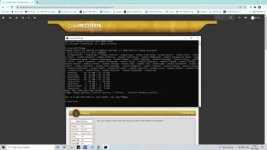
ffmpeg is in...python is in Screenshot (3).jpg

am i missing something else
 
Hi
Where can I find the update? I cannot see the link in the first page and I cannot see the button "unlook"